Google’s newest image model · unofficial
Nano Banana 2.1 image generator & photo editor
Make images from words, edit a photo by saying what to change, or merge up to 4 photos. Up to 4K, no app. From $0.20 an image, first one free.
 Photo
 Edited
Your image
Your image is ready
What Nano Banana 2.1 makes
Real results from this site, with the exact prompts. Press one to put it in the studio and make it yours.
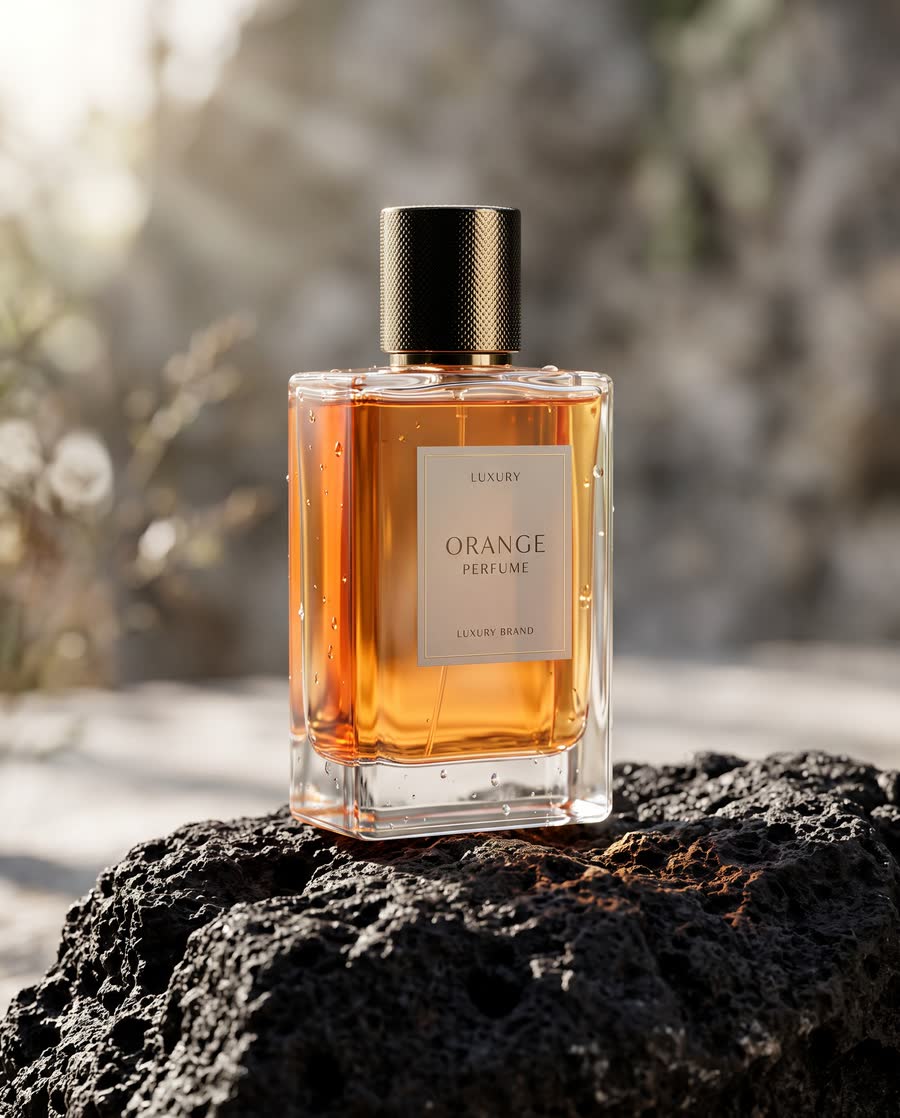
Product shot
“A glass bottle of orange perfume standing on black volcanic rock, soft morning light from the left, a few drops of water on the glass, shallow depth of field, product photo for a luxury brand”
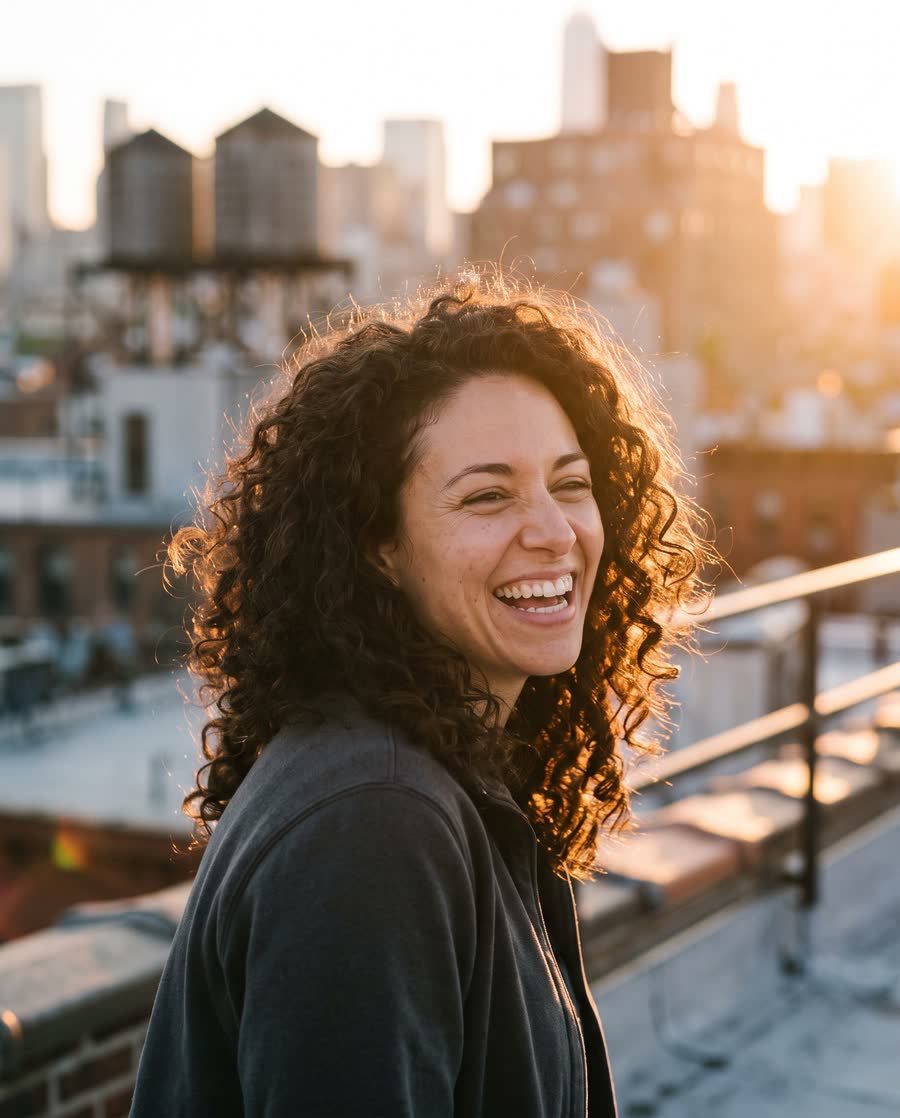
Portrait
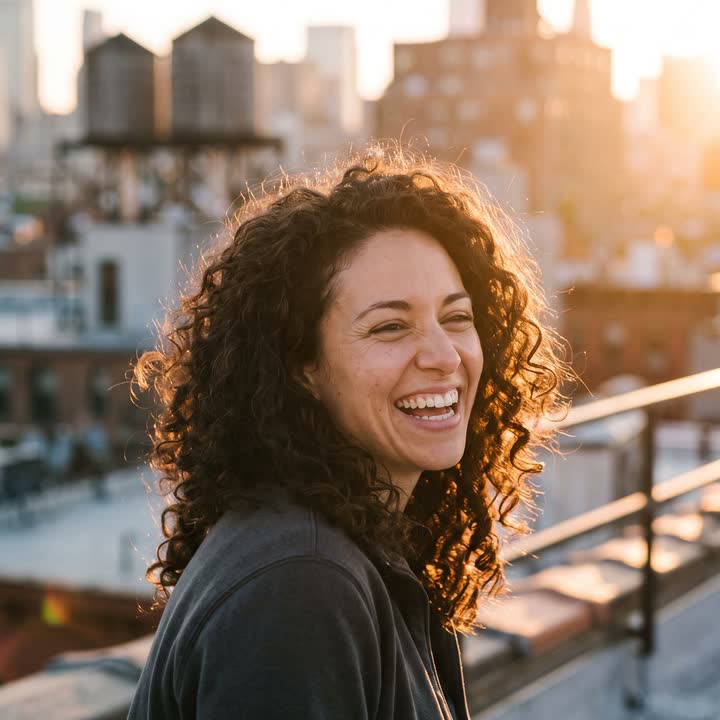
“Candid portrait of a woman in her thirties with curly dark hair, laughing, on a city rooftop at golden hour, warm backlight, natural skin texture, 85mm photo”
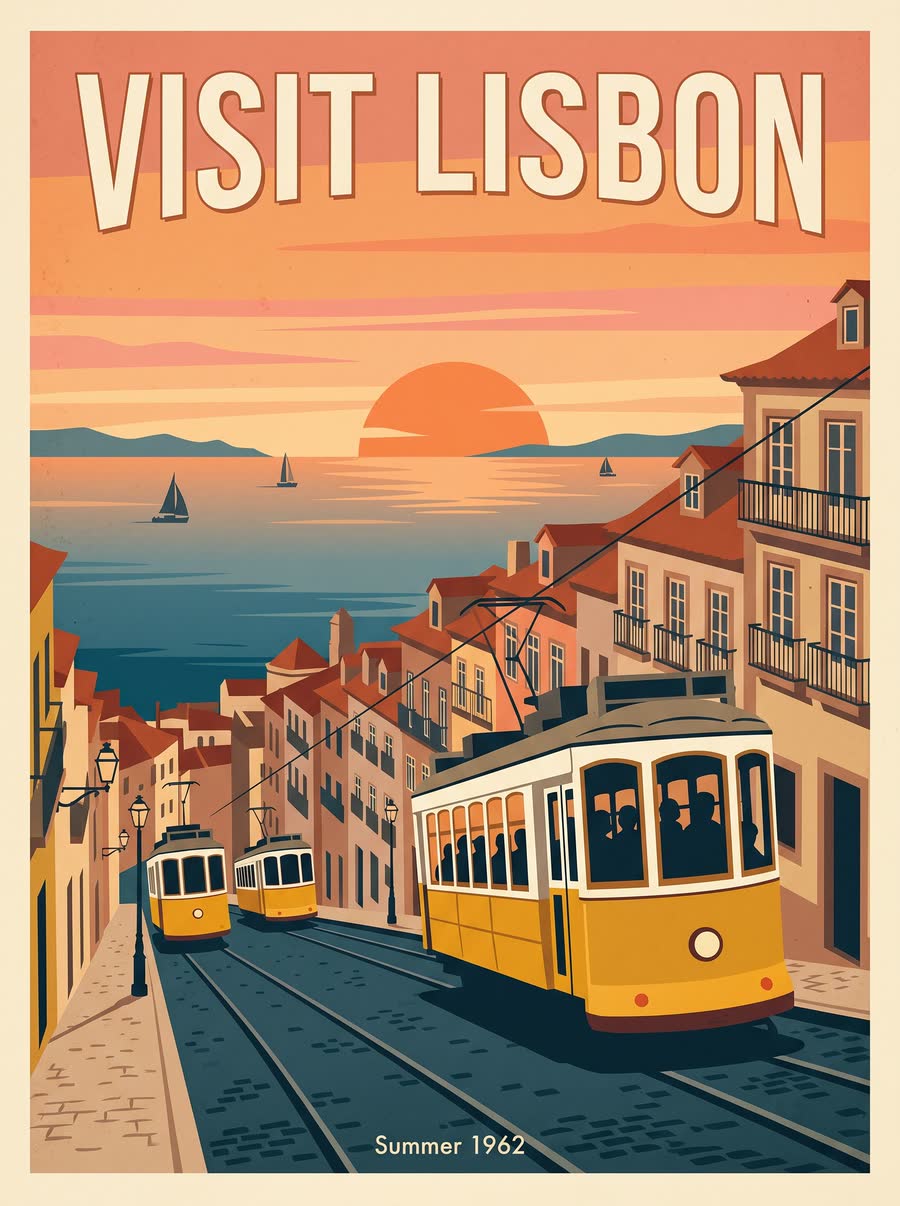
Text that reads right
“A retro travel poster of yellow trams climbing a hill above the sea at sunset, flat colours, the words "VISIT LISBON" in large cream letters at the top and "Summer 1962" small at the bottom”
Edit a photo
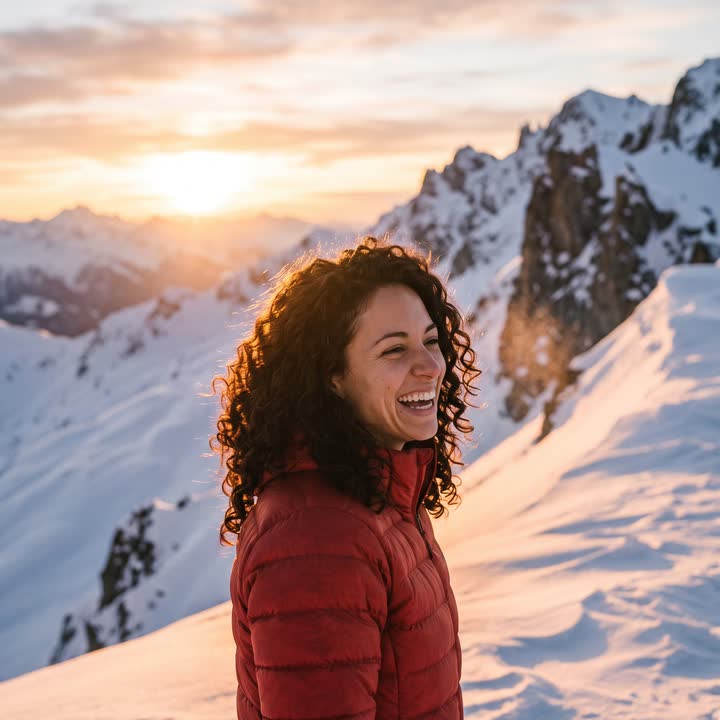
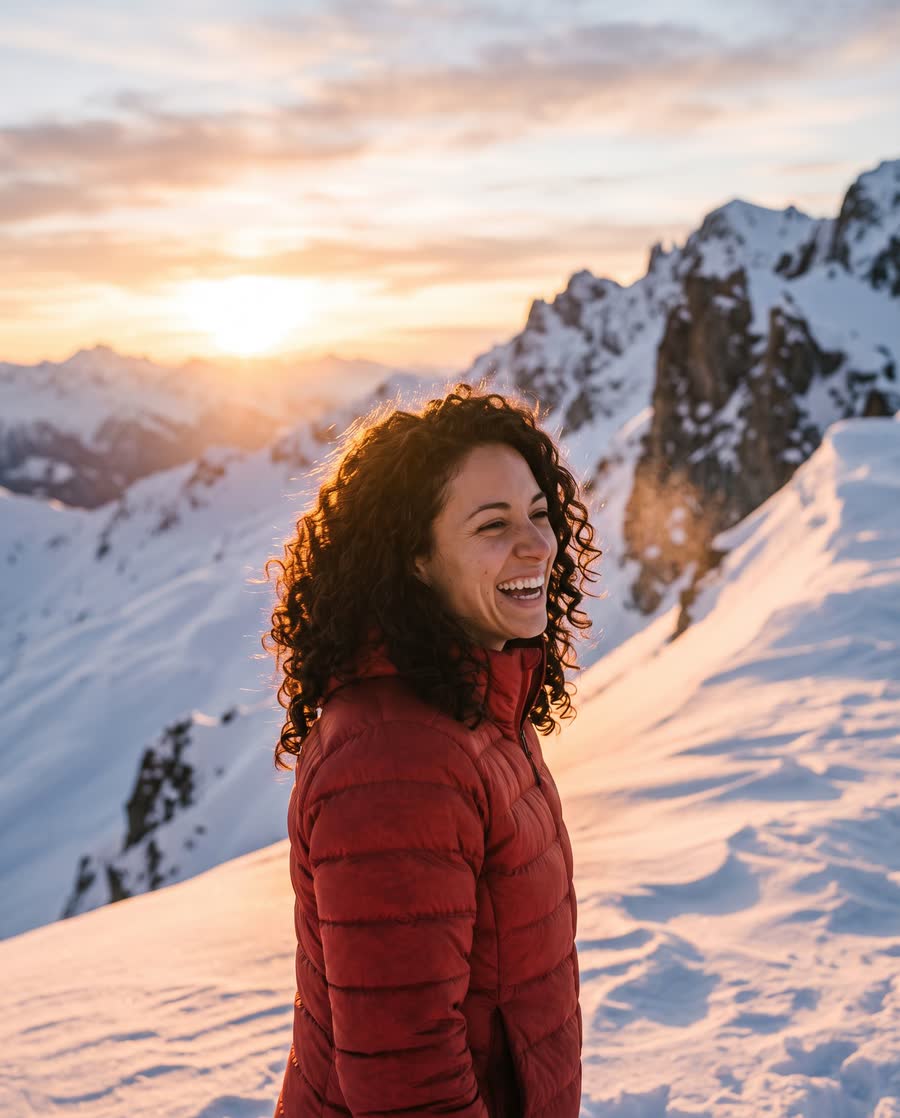
Edited from portrait: “Put her on a snowy mountain ridge at sunset and dress her in a red down jacket. Keep her face, hair and smile exactly the same.”
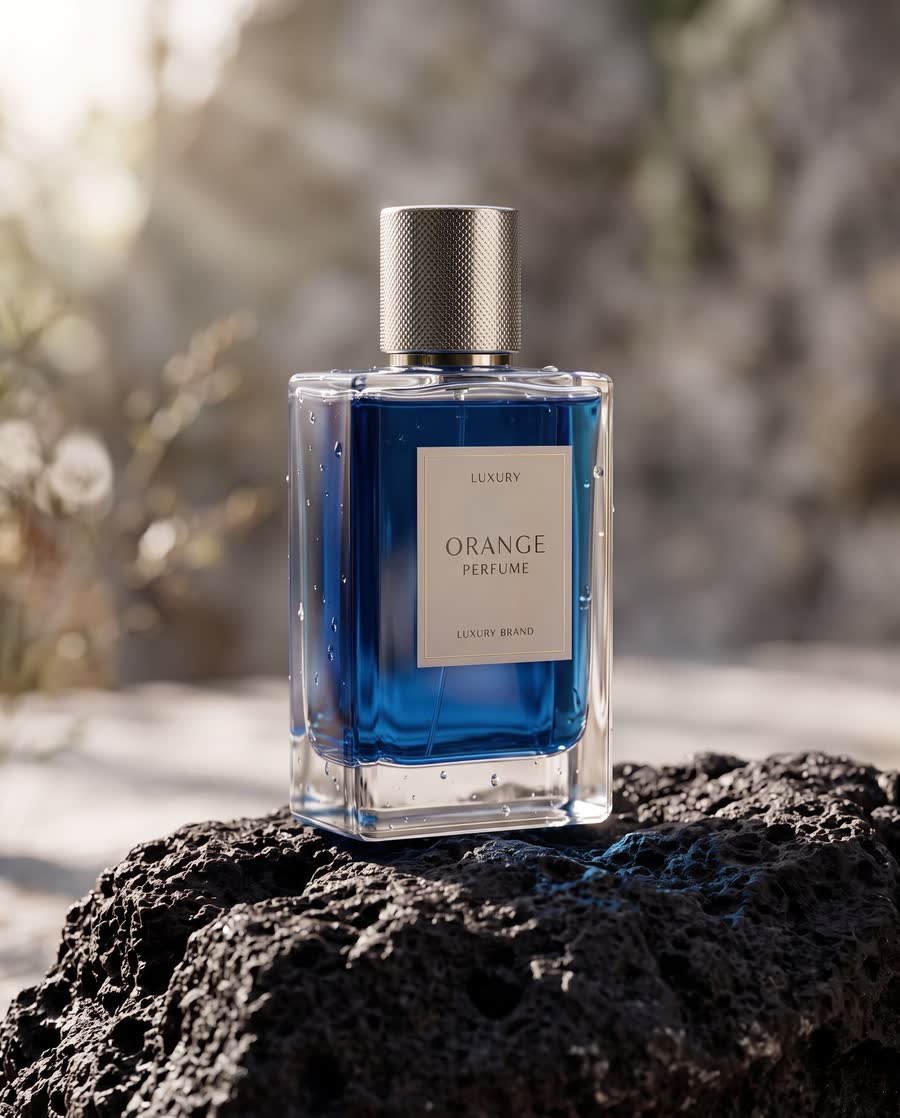
Change a colour
Edited from product shot: “Make the bottle deep blue glass with a silver cap. Keep the rock, the light and the water drops the same.”
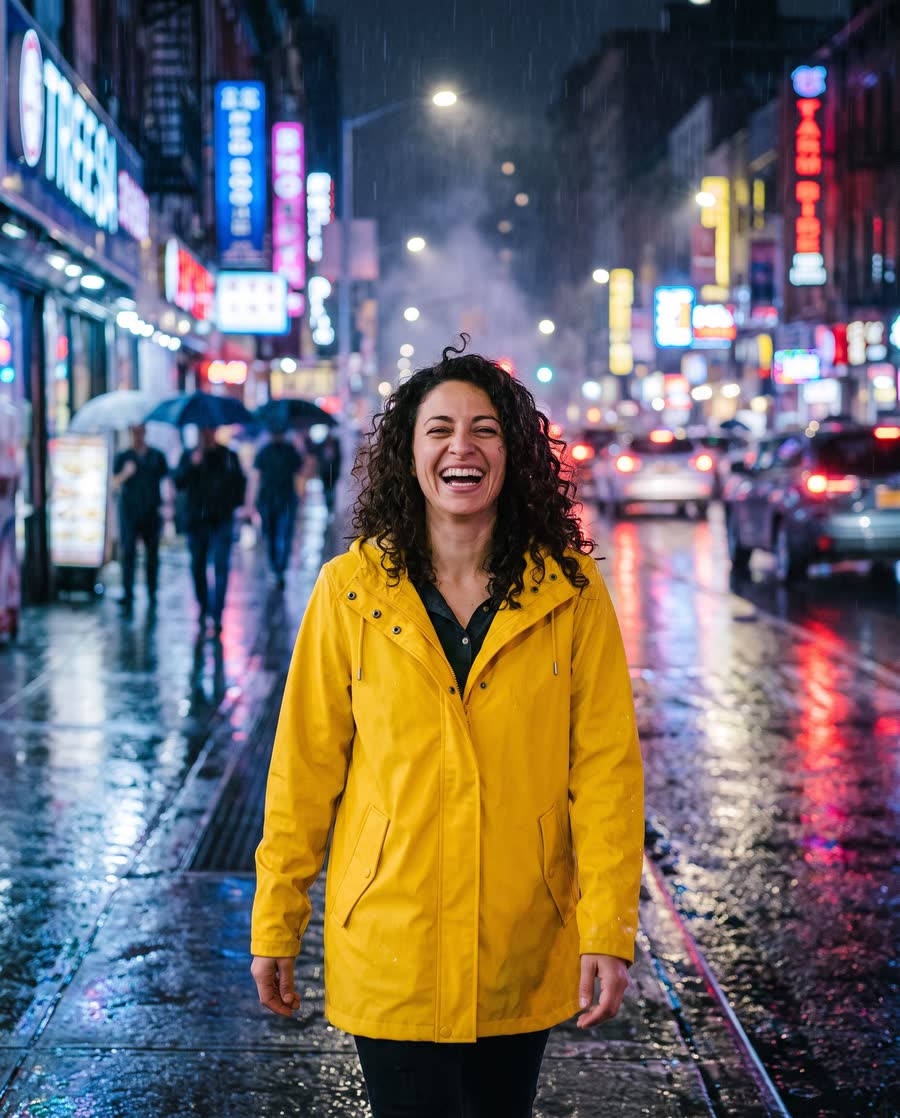
Merge photos
Merged from portrait and a second photo to merge: “The woman from the first photo wearing the yellow raincoat from the second photo, walking down a rainy neon-lit street at night, reflections on the wet road, same face and hair”
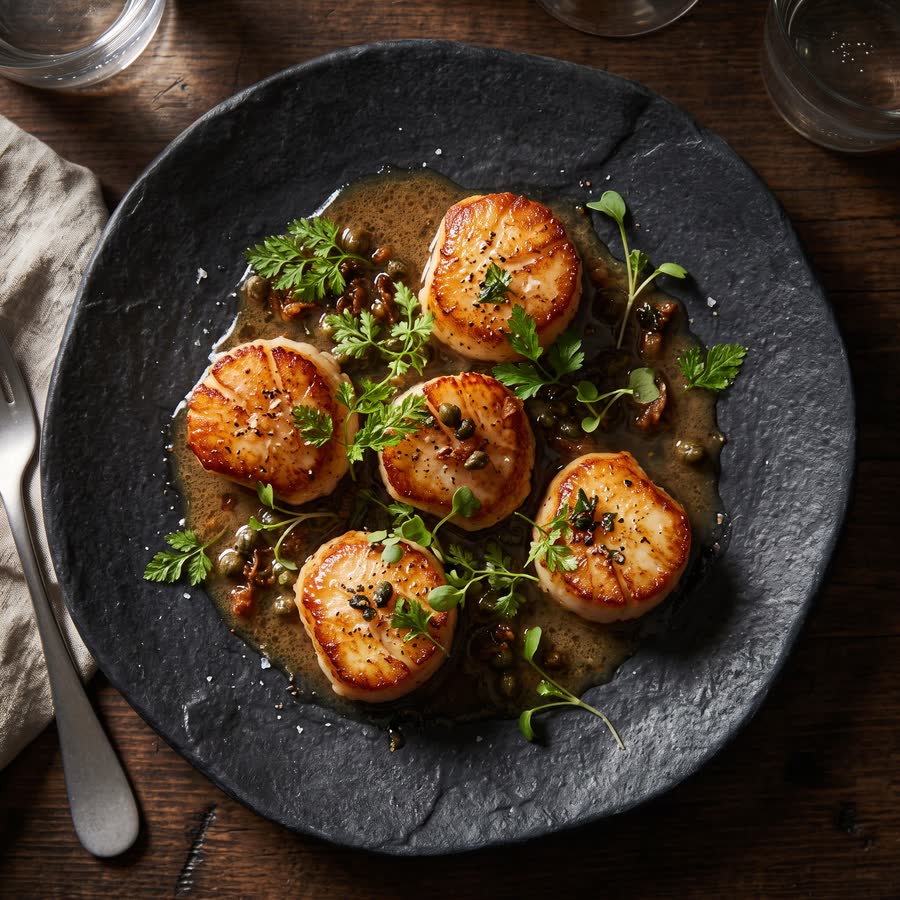
Food
“Seared scallops on a dark stone plate with brown butter, capers and fresh herbs, top-down food photo, restaurant lighting”
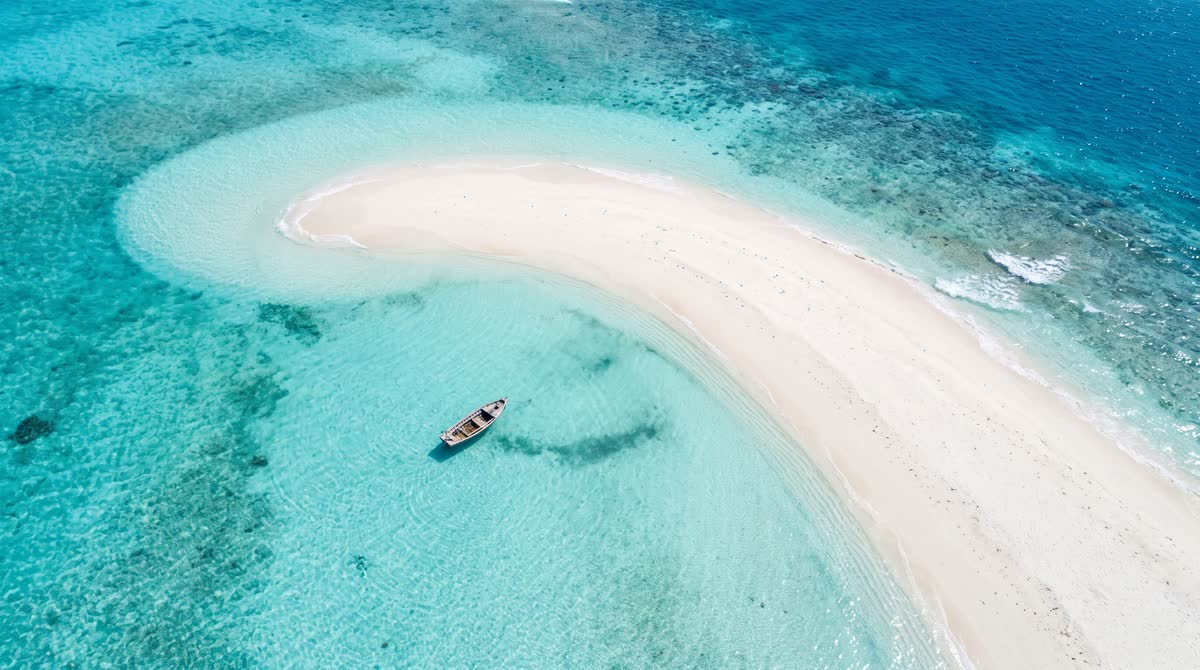
Landscape
“A turquoise lagoon with a white sand bar and one small wooden boat, seen from a drone high above, midday”
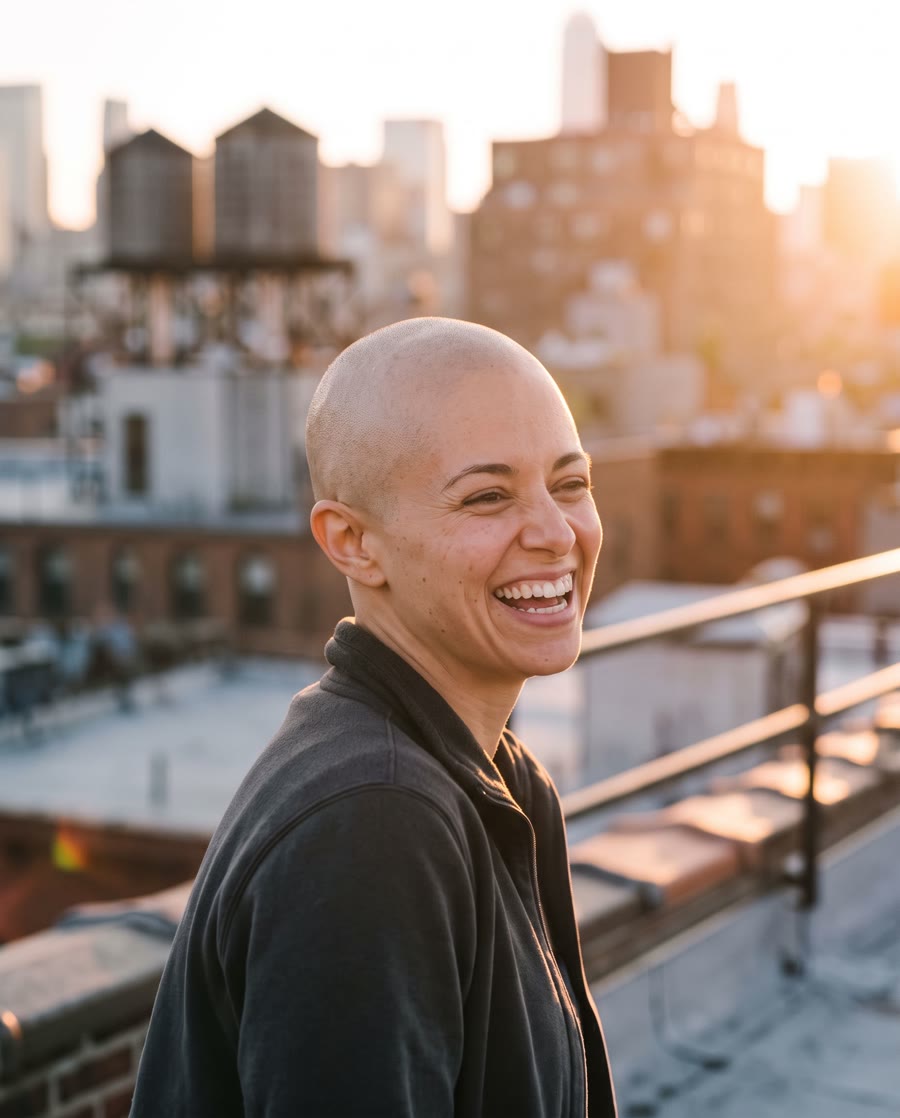
AI bald filter
Edited from portrait: “Make this person completely bald: a smooth, freshly shaved head with natural scalp skin, the same skin tone, and realistic light and shadow on the head. Keep the exact same face, eyes, eyebrows, smile, expression, clothes, pose, background and lighting. Photorealistic, not a cartoon.”
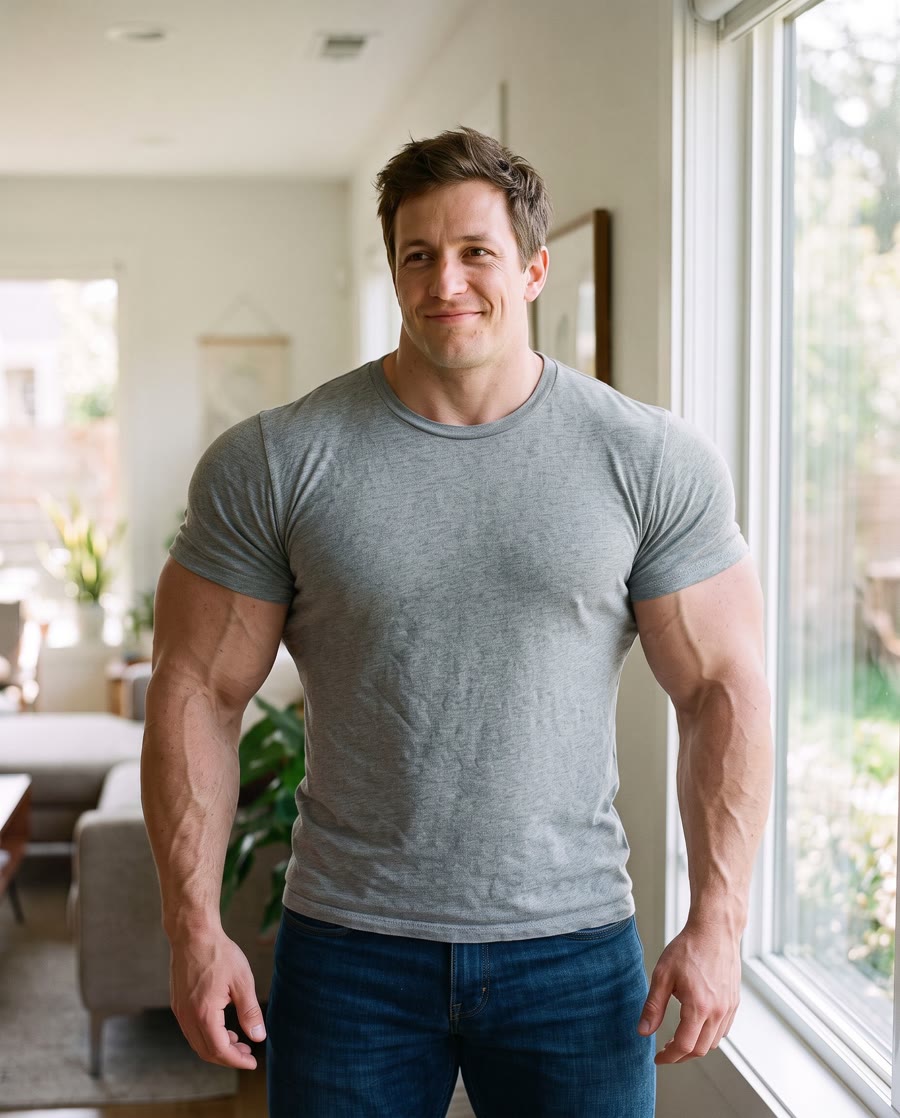
AI muscle generator
Edited from a photo to edit: “Give this person a huge, muscular bodybuilder physique: very broad shoulders, big arms and a wide, defined chest, with the same T-shirt now tight over the muscles. Keep the exact same face, head, hair, smile, skin tone, pose, background and lighting. Photorealistic, not a cartoon.”

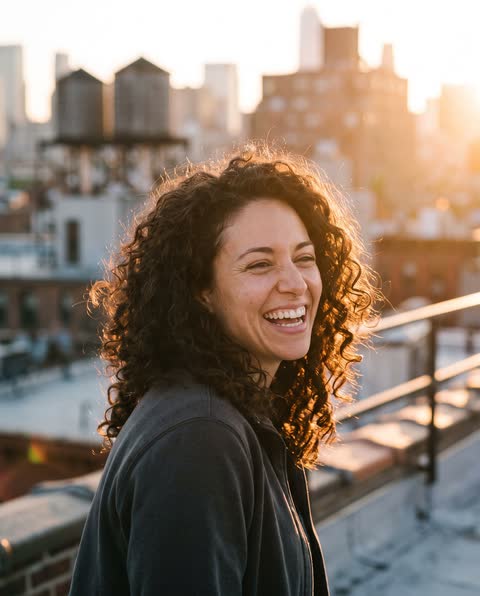


The people in these images are AI-generated: no real person’s photo went into any of them.
Edit a photo by saying what to change
One photo and one sentence: “Put her on a snowy mountain ridge at sunset and dress her in a red down jacket. Keep her face, hair and smile exactly the same.” Drag the line to compare. Her face, hair and smile stay hers.
PhotoEditedPhoto filters, one click each
The edit is written for you: add your photo and press the button. Each card is a real result.
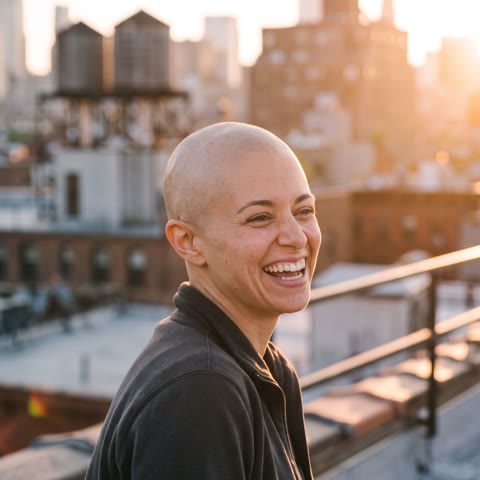 AI Bald FilterSee yourself bald, with your own face.
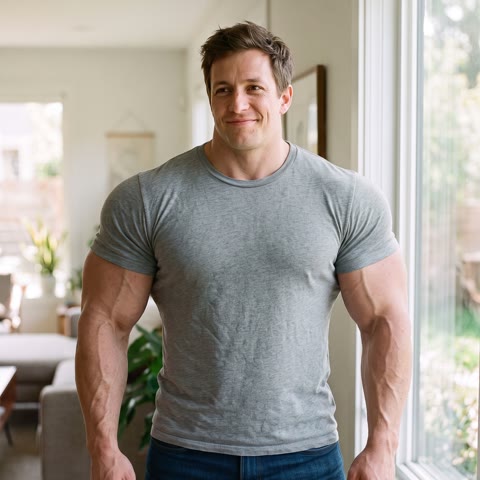 AI Muscle GeneratorSee yourself with a bodybuilder’s build.
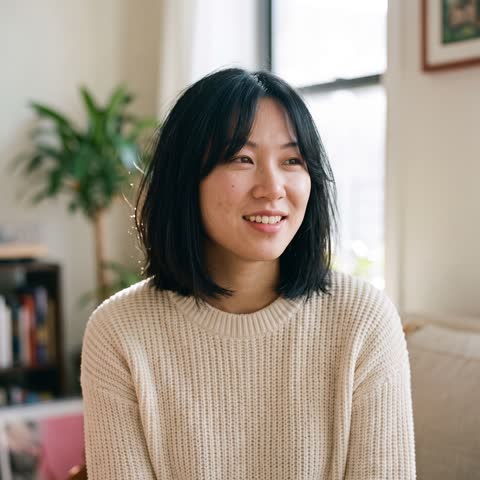 AI Hairstyle ChangerTry on a bob, a pixie cut, a fade and more.
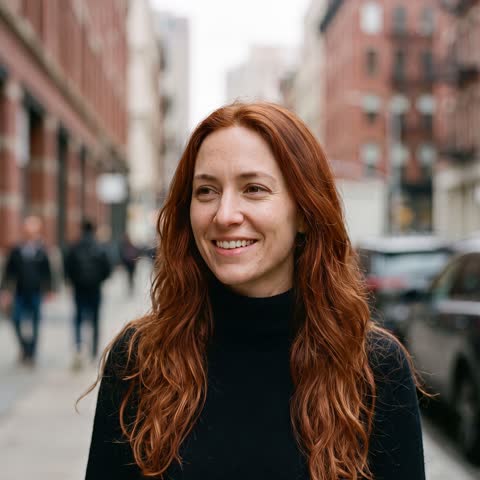 AI Hair Color ChangerTry red, blonde, brown, pink or lavender hair.
 AI Gender Swap FilterSee yourself as a man or as a woman.
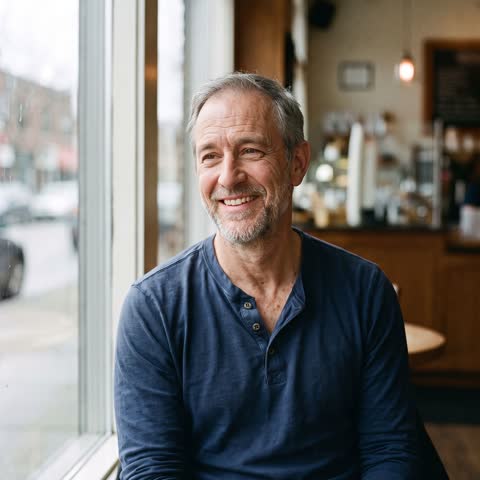 AI Age FilterSee yourself at 20, 50, 75 or 90.
 AI Headshot GeneratorA professional headshot from one selfie.
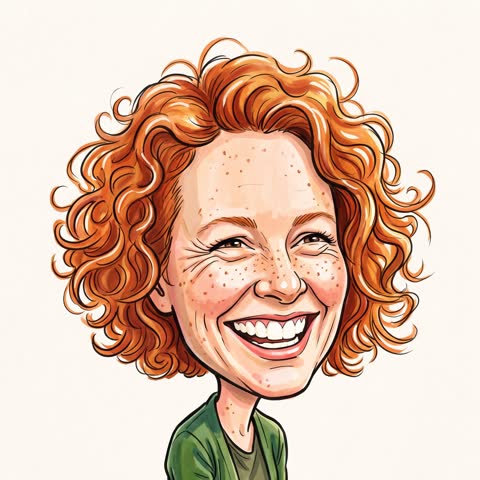 AI Caricature GeneratorA caricature drawing of you from one photo.
What Nano Banana 2.1 does well
Google released Nano Banana 2.1 on October 6, 2026, as an update to Nano Banana 2: sharper images at every size, closer to the prompt, with better text and steadier faces.
4K text to image
Describe a scene and get it at 1K, 2K or 4K, with real skin, materials and light, in any of ten shapes.
Edits in plain words
Upload a photo and say one change: a new sky, a different colour, someone removed. The rest stays as it was.
Merge up to 4 photos
Put a person into an outfit, a product into a scene, or friends into one picture, by naming each photo.
Text that reads right
Posters, menus, signs and labels come out spelled correctly, with the layout you asked for.
The same face, every edit
Faces, clothes and style stay consistent from one edit to the next, so a series looks like one person.
Products that stay true
Place a product anywhere: its shape, label and finish stay the same, for shop pages and ads.
How to use it
Three steps, about half a minute. Your images wait on Your images for 7 days.
Pick a tool
Text to image, Edit a photo, or Merge photos.
Write what you want
Plain words. For an edit, also say what must stay the same.
Pick a size, press the button
1K for ideas, 2K to post, 4K to print or crop. The price is on the button.
Pay once. No subscription.
A new account gets 2 credits: one free image at 1K. Then 2 credits at 1K, 3 credits at 2K, 6 credits at 4K. Extra photos cost nothing more.
80 credits for $9.90 make 1 image at 2K ($0.38 per image at 2K, with 77 credits to spare).
80 credits
Your pickMakes 13 images at 4K, or 26 images at 2K, or 40 images at 1K.
$9.90$0.76 per image at 4K
260 credits
Your pickMakes 43 images at 4K, or 86 images at 2K, or 130 images at 1K.
$29.90$0.70 per image at 4K
700 credits
Lowest price per imageYour pickMakes 116 images at 4K, or 233 images at 2K, or 350 images at 1K.
$69.90$0.60 per image at 4K
Secure checkout on Stripe. Pay once, no subscription. Unused credits refunded within 14 days.
- First image free2 credits with every new account
- Credits back if it failsevery one, by themselves
- One free remakewhen an image is not what you asked for
- Stripe checkoutpay once, no subscription
- Refunds within 14 daysfor credits you have not used
Nano Banana 2.1 questions
What is Nano Banana 2.1?
Nano Banana 2.1 is Google’s newest image generation and editing model, released on October 6, 2026, as an update to Nano Banana 2. It makes images from a description, edits photos from plain instructions, combines several pictures into one, writes text inside images that reads correctly, keeps faces the same across edits, and makes images at 1K, 2K or 4K.
Where can I use Nano Banana 2.1 online without an API key?
Right here: BananaPic runs Nano Banana 2.1 in your browser. Write a prompt, add photos if you want to edit or merge them, pick a size and press the button; the image arrives in seconds. No API key, no code, no app to install, and no subscription.
Can I try Nano Banana 2.1 for free?
Yes. A new account gets 2 credits, enough for one image at 1K, made by Nano Banana 2.1 itself with no watermark of ours. Signing up is free, by a link we email you.
How much does Nano Banana 2.1 cost here?
An image takes 2 credits at 1K, 3 credits at 2K and 6 credits at 4K. Credits come in one-time packs, no subscription: 80 credits for $9.90 make 40 images at 1K ($0.25 each) or 13 at 4K. The 700 credits pack brings a 1K image down to $0.20. Extra photos you add cost nothing more.
How do I edit a photo with Nano Banana 2.1?
Open “Edit a photo”, add your photo and say what to change in plain words, such as “make the sky a sunset and remove the people behind me, keep everything else the same”. Naming what must stay the same helps. The result keeps your photo’s shape unless you pick another one, and you can edit it again from there.
How do I combine several photos into one picture?
Open “Merge photos”, add two to 4 photos and say how to put them together, naming each by its number: “the woman from photo 1 in the jacket from photo 2, on the street from photo 3”. It works for putting a product into a scene, trying clothes on a person, or putting people together in one picture.
Can Nano Banana 2.1 make 4K images?
Yes: pick 4K under Size. A square 4K image is 4,096 pixels a side, about 16 megapixels in any shape, and takes about 30 to 60 seconds; 2K takes about 20 to 30 seconds and 1K about 10 to 20 seconds.
Is BananaPic made by Google?
No. BananaPic is an independent site that runs Google’s Nano Banana 2.1 model through Replicate, a company that hosts AI models. It is not an official Google product and is not affiliated with, endorsed by or sponsored by Google. Google’s own ways to use the model are the Gemini app and Google AI Studio.
Do the images have a watermark?
Not one you can see: we add no logo or label. Google says every image its Nano Banana models make carries an invisible SynthID watermark, which marks it as made by AI; nobody can remove it, and we do not try to.
What happens if an image fails?
Its credits come back by themselves, at once. If an image is made but is not what you wanted, you can remake it once for free with the same words and photos.
What happens to my photos and images?
They are used only to make what you asked for, kept for 7 days so you can download them, then deleted. Only your account can open them. Deleting your account deletes them at once.
Can I use the images for my business?
Yes, you can use what you make for personal and commercial work, within our terms: only photos you have the right to use, no one’s likeness without their consent, and nothing that breaks the law or Google’s rules for the model.
BananaPic is an independent tool that runs Google’s Nano Banana 2.1 model through Replicate. It is not an official Google product and is not affiliated with, endorsed by or sponsored by Google. “Nano Banana” and “Gemini” are names of Google’s products.